Feeds:
Posts
Comments

Archive for the ‘Digital Learning’ Category

Digilit Sunday

Please use this button on your site for DigiLit Sunday posts

Please use this button on your site for DigiLit Sunday posts

I am entertaining guests this weekend. I may post later. I do want to share that I had a special visitor to my blog on Friday, J. Patrick Lewis, 2012-2013 Children’s Poet Laureate. He watched the Emaze presentation I made about him and the zeno poems my students and I wrote. This was his email.

Dear Margaret,

A swashbuckler of a bow to you for featuring the zeno on your blog and for encouraging your students to try their hand at it. I’m honored and humbled, and I must say, extremely impressed by their efforts. Please extend to them my warm wishes for a blootitootiful school year.

Be good, be well.

Cheers,
Pat

So I did a happy dance.

Add your digital literacy post with Mr. Linky

Read Full Post »

Please use this button on your site for DigiLit Sunday posts

Please use this button on your site for DigiLit Sunday posts

This week we are nearing the end of the nine weeks grading period. My students are working on their book talks. I require one each quarter. I also require some form of technology. I am pleased that I have discovered new presentation apps to give them multiple choices in technology. The choices range from Powerpoint, Emaze, Prezi, and Animoto. I am excited about the variety of presentations that will be done. These will not only inspire my students to read different books, but they will also want to try different digital platforms.

Today I am posting an example of Prezi, Animoto, and Emaze.

This is Reed’s Emaze on Troublemaker by Andrew Clements.
http://app.emaze.com/849503/trouble-maker

Nigel did a Prezi about The Whipping Boy.
http://prezi.com/bygmaqkv9vqw/?utm_campaign=share&utm_medium=copy&rc=ex0share

Erin used Animoto to present The Red Pyramid.

Having choices creates a richer experience in my classroom and allows each student to explore and be themselves. As with most digital media, I simply allow the students to access them. They learn how to use them very quickly with little help from me. The only trouble we had this week was with slow computers. Not all of our computers are new. What other presentation media have you used?

Please link up your digital literacy posts with Mr. Linky.

Read Full Post »

  Join the Two Writing Teachers Slice of Life Challenge.

Join the Two Writing Teachers Slice of Life Challenge.

Join the Chalk-a-bration at Betsy Hubbard's site Teaching Young Writers.

Join the Chalk-a-bration at Betsy Hubbard’s site Teaching Young Writers.

I have been using Laura Purdie Salas’s blog site in my classroom. Last week we joined in her weekly photo challenge “15 Words or Less.” She posts a new photo each Thursday and invites poets to quick-write a poem.

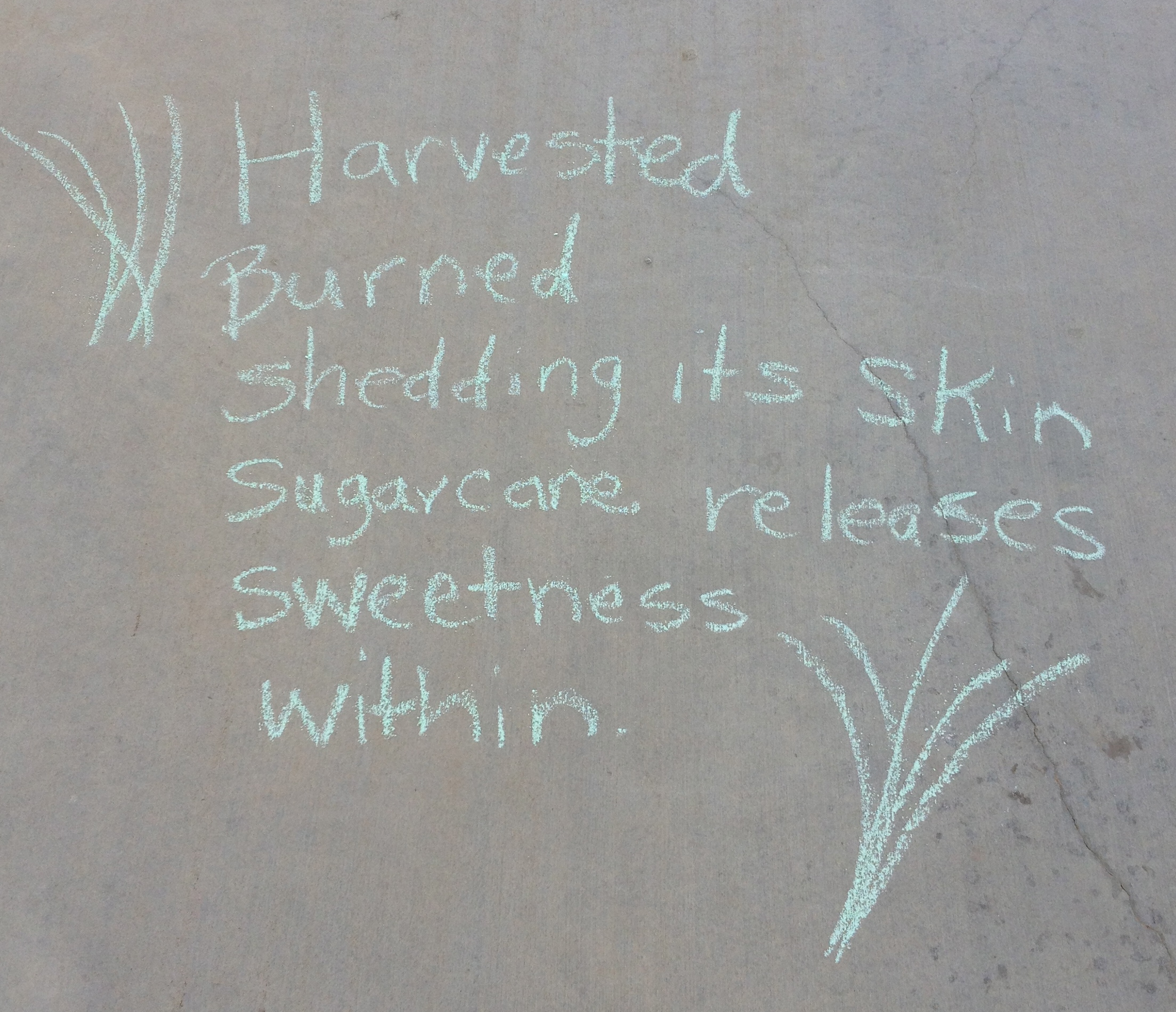
Yesterday, I used Laura’s new series, What’s Inside, to inspire short poems for Chalkabration. I even tried my own What’s Inside poem. I am not usually a rhyme writer. It’s hard. I wanted to rhyme like Laura, so with the help of RhymeZone, I found the word quill to rhyme with still. That made me think more deeply about the way sugarcane looks. Could it be a quill? Yes, in my imagination. Don’t you love it when words work out like that? It was a high-five moment. (Teachers need them, too.)

Following the lead of Betsy Hubbard and Stacey Shubitz, two of the six teachers who write for Two Writing Teachers, I used Emaze to show off some of our poems. I am encouraging my students to try this new format for their upcoming book talks, so I wanted to experiment myself. Click on the link below to watch our chalkabration celebration.

http://app.emaze.com/825079/september-chalkabration?autoplayPowered by emaze

What's inside sugarcane?

What’s inside sugarcane?

Read Full Post »

Please use this button on your site for DigiLit Sunday posts

Please use this button on your site for DigiLit Sunday posts

Every month the gifted 6th grade students in our parish (district) are getting together to work on a collaborative project. We started this program four years ago as a way of overcoming 6th grade underachievement and to get all our students together for one purpose. In our district there are often only one or two gifted students in each grade in each school. Isolation and low motivation were hampering our oldest students. This program has also helped the students as they move on to middle school in 7th grade.

This week was our second meeting with these students. The theme for this year is Wonder. We are looking at different Wonders of the World as well as reading Wonder and thinking about other wonders such as art and oak trees. I led a technology lesson on the use of Thinglink. I opened the program and led them through step by step by making a mock Thinglink on cats. Then I showed them one I had done on the Aurora Borealis.

While many technology lessons were learned (how to link, fair use of images, and reliable sources), I don’t think the students learned much about their chosen topic. I know this because I asked my sixth graders to present their Thinglinks to the other students in our class. One student presented his Thinglink about Mt. Everest. He didn’t even know where it was located. So what was the problem?

Expectations! Ah, yes. When I introduced using the Thinglink, I did not set up expectations through a rubric. Today, I am working to solve that issue before I have my own students try Thinglink. We are beginning quarterly book talks. Thinglink would make a great site for creating a book talk.

I searched online for rubrics for Thinglink. Here is one in pdf form by Spokane Schools.

I edited another rubric using some of my own requirements. The downfall in my lesson for the 6th graders was I did not set up a content requirement ahead of time. If I’m not intentional, students will play with the app adding in link after link without ever learning anything about the topic. Here is a general RubricforThinglinkProject I created for Thinglink projects.

https://www.thinglink.com/scene/571760040139030530 (Click here to go to Thinglink on Analyzing Tone.)

Thinglink is a great app for teaching as well as for student projects. I need to teach my students about tone in literature and poetry. I found a blog post complete with images and videos to analyze. So for my lesson on tone, I linked up a Thinglink. (The content for this Thinglink was gathered from David Sebek.) You are welcome to use it, but please let me know how it goes.

Link up your Digital Literacy Sunday posts here with Mr. Linky.

Read Full Post »

Please use this button on your site for DigiLit Sunday posts

Please use this button on your site for DigiLit Sunday posts

kindness quote

Comments encourage. They lift me up and propel me forward, like wind beneath my wings. I strive to be a good commenter, but it takes time. Time to read the blog post thoroughly. Time to reflect. Time to connect.

Selfishly, I love comments. In the classroom, I encourage them. My students are required to comment on at least 3 blog posts a week. They read each other’s posts, but I wish they would comment more. On Friday, Matthew read Tobie’s post about Harry Potter. Matthew loves Harry Potter. He sat at the computer and laughed and said, ” I love this post, especially the end where he says…”

I replied, “Don’t forget to comment.”

Matthew said, “Oh, I don’t have time for that. I have to write my own post.”

That is exactly how I feel! I usually post on Slice of Life Tuesdays, Spiritual Thursday, and Poetry Friday. Less frequently, I review books for It’s Monday: What are you Reading and Nonfiction Wednesday. I am also posting on Celebration Saturday and here today with DigiLit Sunday. That’s a lot of writing in a week. If I want and expect others to read my posts and leave comments, then I need to do the same.

The last few days, comments have supported me in the grief for a child’s mother, in the celebration of the NCTE award, and with the reading of my poem from Summer Serenity. Thank you, blogging friends, committed commenters. You sustain my writing. You comfort my soul. You are my friends. I hereby promise to be a better commenter.

Link up your DigiLit posts.

Read Full Post »

Please use this button on your site for DigiLit Sunday posts

Please use this button on your site for DigiLit Sunday posts

I enjoy trying out new apps online but not as much as my students do. On Friday morning I had meetings, and my students had French class and hearing testing, so we were running behind in whole class time. Not the best atmosphere for teaching a new skill. (Did I mention it was Friday?) I was determined to have something new to write about today for DigiLit Sunday, so with only half an hour left for our class time, I showed them Piktochart.
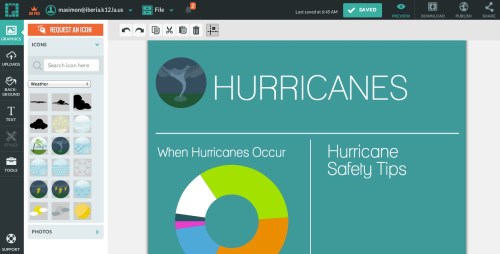
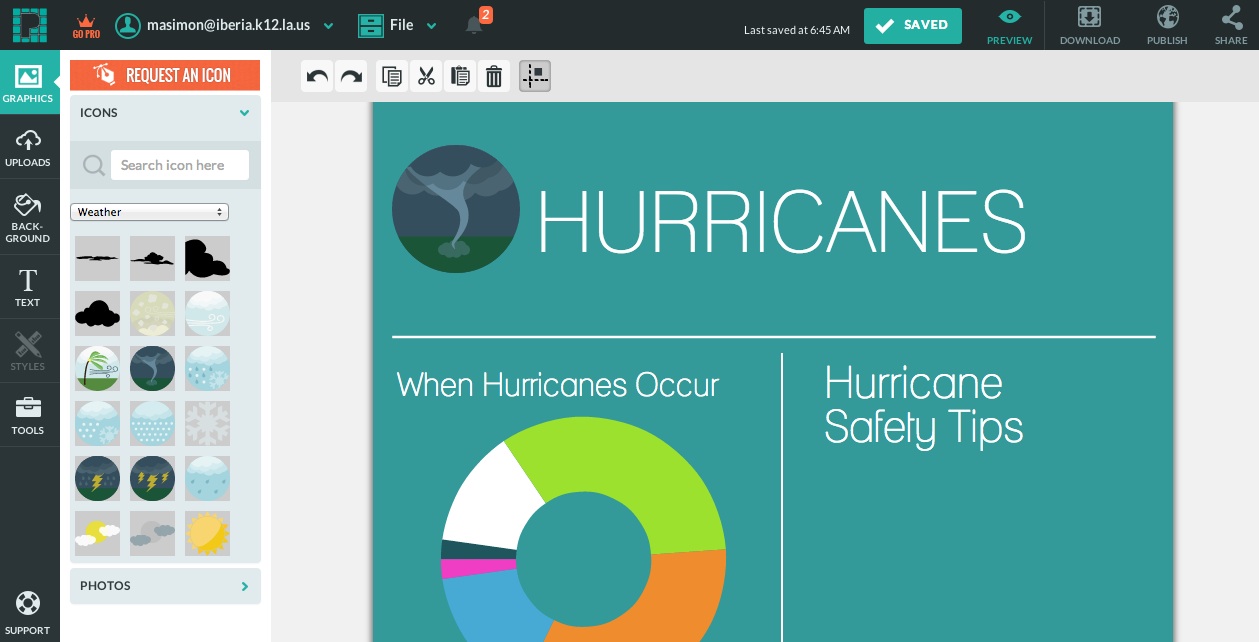
Piktochart 2

Last week’s Wonder theme was Hurricanes, so for this first try at an infographic, I suggested they work on hurricanes. We brainstormed information we could find: categories, safety tips, cost of hurricane damage, and location. I paired off my kids, but with an odd number, I told Vannisa I would work with her. I sat next to her at the computer and watched her go to work.

First she chose a template that she liked. The template had a circle graph. We discussed what kind of information would fit in a circle graph. We found a web site showing the number of hurricanes that occurred within each month of the 6 months of hurricane season from 1988-present. Together we worked on the data chart. Here we quickly had to figure out what data went where. Vannisa was more skilled than me.

The short time that Vannisa and I were working together I was fascinated by how quickly and easily she jumped right in to the app. She was motivated to find more information. She kept saying, “Look at this,” and “I love this,” and “Let’s find more information.”

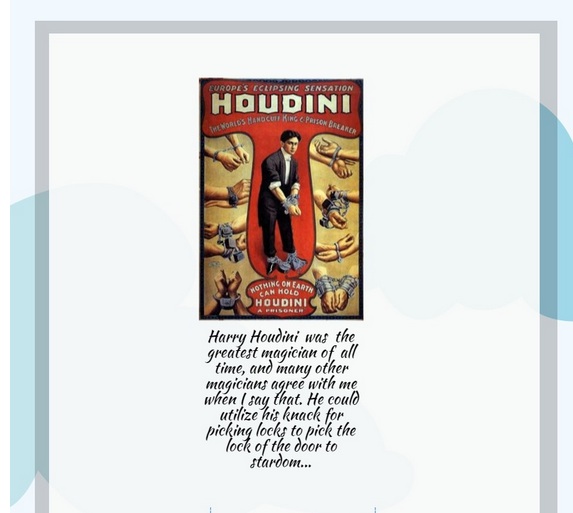
Matthew stayed late in class because he decided to make an infographic on Houdini. He is a bit obsessed with magic and just finished a biography of Houdini. When I told him he could use the Piktochart to make his reader response on the book, he hugged me.
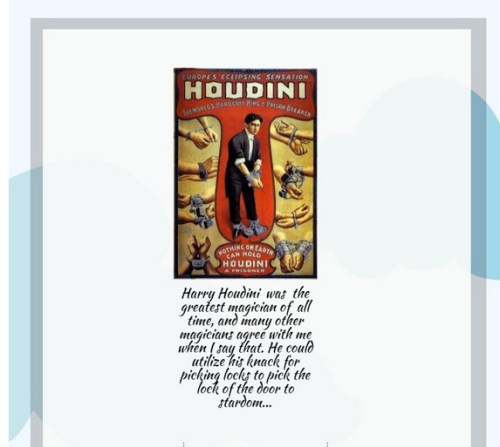
Houdini Piktochart

I can’t promise hugs, but I know your students will be motivated by Piktograph. I plan to introduce it to another group of students this week. I look forward to seeing what they will do and how much fun learning can be.

If you have a digital literacy post, link up!

Read Full Post »

Please use this button on your site for DigiLit Sunday posts

Please use this button on your site for DigiLit Sunday posts

My students have gotten the blogging fever. I did not expect this and am silently cheering. I am sharing our kidblog site with a colleague whose students are also posting. Also, two former students who are now in middle school are joining in. The site is getting lots of activity.

On my simple rubric for kidblog, my students have four requirements, each worth 10 points: Post 3 times, GUMS (Grammar, Usage, Mechanics, Spelling), 3 comments, and comments must be thoughtful and constructive. Here are the highlights:

1. Lots of posts! What are you reading? Slice of Life stories. Poetry Friday. My students are writing a lot. This must be good for them. I have seen great strides in just these first three weeks of school. They are adding details. They feel like their writing matters. They are using sentence structure and humor to make their writing more interesting.

2. I am using their posts to teach grammar, either in whole group or one on one. This is working. My students are realizing that grammar matters to the reader. They are noticing when other writers are not following grammar rules.

3. Sharing and caring! My students are getting to know the other students posting on our blog. They are relating, connecting, wondering.

How do I turn this activity into data? In this day of data-driven instruction, I want to find a way to track and analyze the progress of my students. I know it’s happening, but how do I prove it? I welcome your responses.

To read some of the many student blog posts, click here.
Please link up your own digital literacy post with Mr. Linky.

Read Full Post »

Please use this button on your site for DigiLit Sunday posts

Please use this button on your site for DigiLit Sunday posts

Join the Chalk-a-bration at Betsy Hubbard's site Teaching Young Writers.

Join the Chalk-a-bration at Betsy Hubbard’s site Teaching Young Writers.

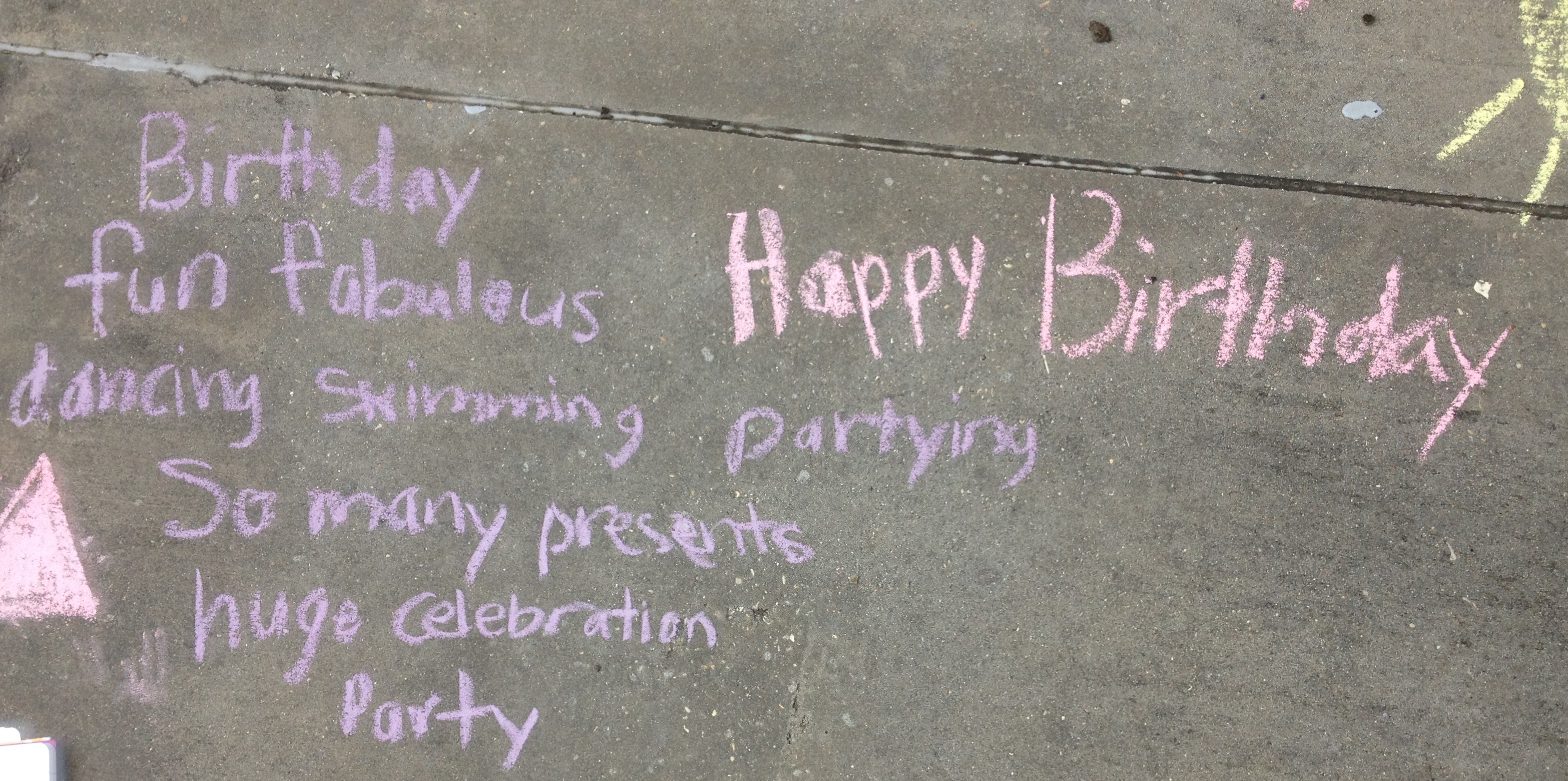
birthday cinquain

My students love Chalkabration Day. (Thanks to Betsy Hubbard for inventing this special way to spread poetry love.) My students chalked the sidewalks on Friday despite the threat of rain. Excited about a long weekend, many of the poems have TGIF as a theme. Kielan wrote a cinquain for her birthday weekend.

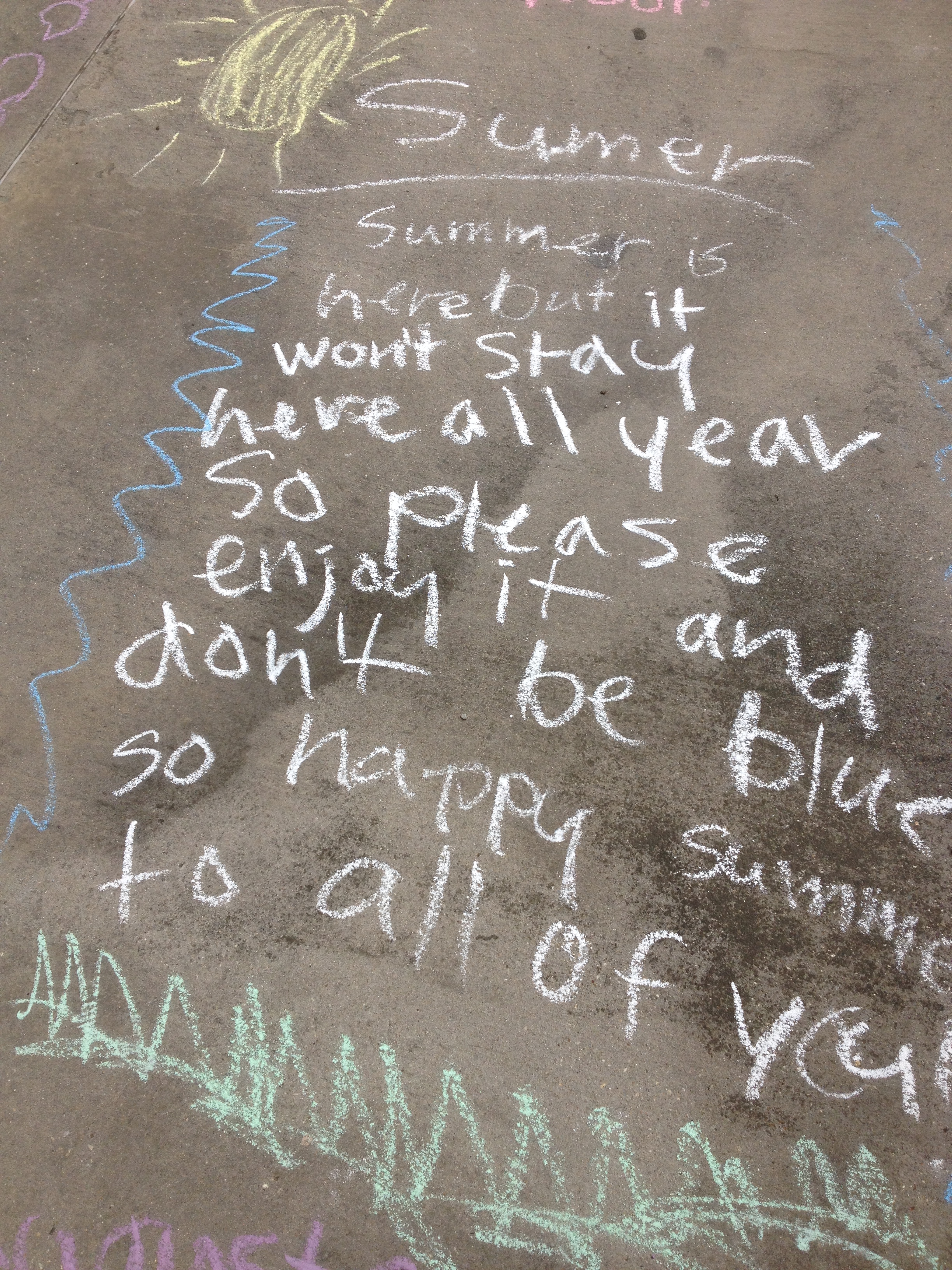
summer is here

I loaded the pictures onto Haiku Deck. I am disappointed that some of the pictures were cut off. I also wish that WordPress would support the embedded deck, but you’ll have to follow the link. I welcome any other digital ideas for publishing our Chalkabration.

Link up your Digital Literacy post here:

Read Full Post »

Please use this button on your site for DigiLit Sunday posts

Please use this button on your site for DigiLit Sunday posts

Once again it is DigiLit Sunday. I hope you will link up your digital literacy wisdom post and read and comment on others. This is how we build an active online community.

Over the last few years, much has been said about teaching grammar in isolation. Basically, it doesn’t work. Skill and drill is out. These days grammar lessons are embedded into writing instruction. Having such small groups of students, I have the luxury of conferencing individually with a student about grammar using his/her own writing. I also give mini-lessons when a question comes up that everyone can benefit from.

This year I plan to add a new web-based grammar practice. My supervisor in gifted shared this site with us at our recent inservice. She said her high school students told her that many of the skills they practiced were on the ACT. The site is https://www.noredink.com/ It is free to an extent, but there is a premium version we are considering purchasing if my supervisor gets enough interest. I signed my students up and created 3 weeks of assignments in about 15 minutes. The site uses students’ pop culture interests to generate practice sentences. If a student misses a question, an instructional page pops up. My hope is this site will be motivating and individualized and take little effort on my part. I am looking forward to giving it a try.

The other plan I have for grammar is to design mini-lessons from the students’ posts on kidblogs. This gives me easy access to their writing. This week when they wrote their Slice of Life entries, I noticed problems with punctuation of compound sentences. I also noticed that one of my fourth graders used capitalization correctly. I will highlight the correct grammar (celebrate this) and ask for input on the comma problems.

I believe that grammar is important, but I do not want to focus so much on it that our creative writing suffers. By incorporating web-based practice and mini-lessons from student writing, I will encourage good grammar skills and celebrate writing.

Add your Digital Literacy post with Mr. Linky.

Read Full Post »

Please use this button on your site for DigiLit Sunday posts

Please use this button on your site for DigiLit Sunday posts

Welcome to DigiLit Sunday. I hope you will write a post about how digital literacy is working (or not working) in your classroom and link up with Mr. Linky at the end of this post.

I had a frustrating week with technology. I do not like to be negative, but when technology doesn’t work, it is maddening. I have been setting up my classrooms (yes, I have 2) this week. Since I have decided to use the website Wonderopolis for a weekly language lesson, it is imperative that my connections to the Promethean work. Wonderopolis is interactive, so you have to be able to use your pens on the board.

My school system gave every certified teacher a laptop about 4 years ago. This has been very good for me as I switch from one school to another. I just take the laptop with me, and everything I need is there. I have had trouble off and on for the last few years with my laptop connecting to the Promethean. Lots has been done to it to try to resolve the problem. This week, however, the technician who came pronounced that it was a hardware problem, and the laptop was out of warranty, so I was out of options.

In order to be able to use one of the two desktops for the Promethean, I had to reconfigure my classroom. That meant moving furniture by myself. But by Friday, I had it all rearranged. Then another technician came by. She tried everything, determined to make the laptop connect. Yet again, there was no solution. Now I have to order a splitter thing to be able to see the desktop monitor as well as the Promethean board. Office Depot didn’t carry it. It is now ordered.

Now I am learning to save everything to Dropbox so that I can use it at both schools. Dropbox is a great tool. I have two accounts, one with my school email address and one with my personal account. I use Dropbox to share documents with my writing group and with my gifted team.

I hope next Sunday I will have some good news about technology. I am trying to take this all in stride and hope it is not an indication of the kind of school year I will have.

Read Full Post »

« Newer Posts - Older Posts »