Feeds:
Posts
Comments

Archive for the ‘Digital Learning’ Category

Slice of Life Day 30.  Join the Two Writing Teachers Slice of Life Challenge.

Slice of Life Day 30. Join the Two Writing Teachers Slice of Life Challenge.

Please use this button on your site for DigiLit Sunday posts

Please use this button on your site for DigiLit Sunday posts

Do you YouTube? I was pleased when our district opened the site this year. We are using a new Common Core Standards aligned curriculum that depends on YouTube videos for instruction. This can be a dangerous thing. Especially when you forget that restrictions have been lifted and allow students to look up a Christina Aguilera song. Whoopsie! Naked woman! Click off! Yes, this happened, but thankfully no body parts were revealed and the kids all understood that it was inappropriate for school. Whew! Try again.

Now I am very cautious and preview whatever we watch. This week a friend on Facebook posted an amazing video of starling murmurations. Amazing! We watched this to have a brain vacation, as one of my students called it. This was almost a spiritual experience, such beauty, a miracle shared. Shortly after our brain vacation, we wrote nonfiction rhyming poems. I used Laura Purdie Salas’ lesson from Teaching Authors. This was a collaborative piece that Kaylie and Matthew wrote.

Starling Birds

Mesmerizing clouds of iridescence

Inky black plumage of brilliance

Dark plump birds in coexistence

Nature’s way of perfect balance

–a collaborative poem by Kaylie and Matthew

Please link up your Digital Literacy post today.
Read Full Post »

Please use this button on your site for DigiLit Sunday posts

Please use this button on your site for DigiLit Sunday posts

Slice of Life Day 23.  Join the Two Writing Teachers Slice of Life Challenge.

Slice of Life Day 23. Join the Two Writing Teachers Slice of Life Challenge.

Today is Digilit Sunday. Link up your digital literacy post each Sunday. Use the logo on your site and link back here.

I teach gifted elementary kids. At any time during the year, I can get new students. Recently I was blessed with two first graders. I am not as comfortable with this age as I am with middle grades. I introduce them to using technology for presentations. They will need technology skills as they move up in grades in gifted classes. These two students are total opposites in tech savviness. Andrew (is it a boy thing?) learns quickly. He has made two Powerpoints learning how to upload images and use the animation tools. So I wanted him to try something different and new. I directed him to Storybird. If you haven’t tried Storybird, you should. I think it is great for younger students. My older ones feel restricted by the choices of images.

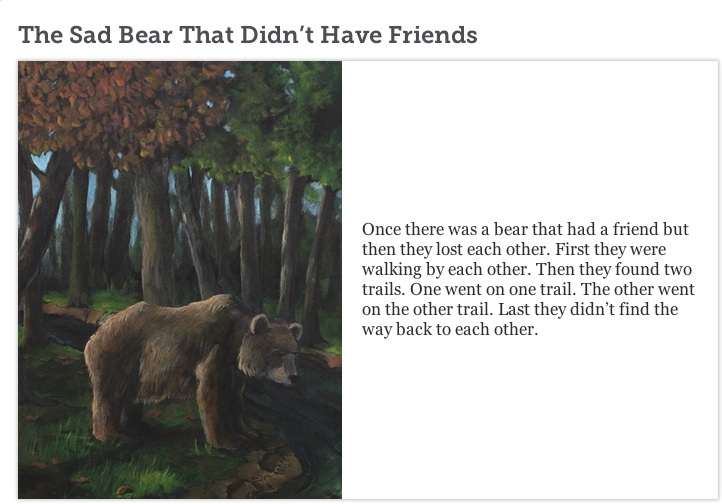
Andrew's storybird copy

Andrew found a palate of images that he liked, and immediately wrote the title, The Sad Bear that Didn’t Have Friends. The pictures led him to write a story about a bear and his friend, a girl named Gina, who were separated in the woods. The bear found new friends, but Gina only found a tree shaped like a peacock. The images led Andrew to write more and add a little humor as well. Using Storybird, I was able to show him some basic editing, such as adding punctuation and capital letters. He also wrote using and over and over. I read his long sentence without taking a breath to show him that the reader needs a period or a comma, so she can breathe. I think we both enjoyed this process. Andrew was proud to read his story aloud to his classmates using the smart board.

http://storybird.com/books/the-sad-bear-that-didnt-have-friends/?token=qsuvuqe5vc

Link up your Digital Literacy post this week:

Read Full Post »

Slice of Life Day 9.  Join the Two Writing Teachers Slice of Life Challenge.

Slice of Life Day 9. Join the Two Writing Teachers Slice of Life Challenge.

Calling all teacher-nerd-bloggers to join in the DigiLit Sunday Round-up. I will be hosting every Sunday. This is a huge leap of faith on my part, so I am hoping I have some leapers join me this week. Mr. Linky is waiting at the bottom of this post. Link up your own Digital Literacy post. I am still looking for a logo. Any ideas are welcome. This is all new to me.

One of my biggest problems in using the Internet in my classroom is blocking by the district network. I am pleased that YouTube is now available. This is due to the new curriculum our state is using that requires use of YouTube videos. So this week we were able to view a video by Tamera Will Wissinger. She read a poem to us from her book “Gone Fishing.”

A student from another class doing the Slice of Life Challenge wrote about Kid President, so we watched a few of those. I’m sure there are more ways I can use YouTube in my classroom. I welcome your ideas.

Still I run into frustration, especially when we are trying out new apps. I wanted my students to try out Haiku Deck that Kevin Hodgson led me to. When we pulled it up, all the parts worked except the pictures were all blocked. The best part of this app is the beautiful images to choose from. We managed to find a few pictures that would work, but only by trial and error.

Another difficulty we’ve encountered this week was that most blog sites are blocked. Fortunately, the Two Writing Teachers was not, so I could link up our class’s blog to the Classroom Slice of Life Story Challenge, but if the other classes use any site other than Kidblog, the site is blocked. We are able to link up with other slicers through Kidblog.

I am trying to teach my students about fair use of pictures from the Internet. Mary Lee Hahn talked about using the Google Search Tool under Usage Rights: Labeled for reuse. The problem with this is most pictures that are reusable are blocked. I have taught my students that for use in the classroom on projects and PowerPoints, we can use a picture that is not creative commons; however, if they are going to use it on our public blog, it must be an original picture or one for reuse.

I’m sure many of you are running into these kinds of roadblocks and welcome any advice for working around and with them.

Read Full Post »

Slice of Life Day 2.  Join the Two Writing Teachers Slice of Life Challenge.

Slice of Life Day 2. Join the Two Writing Teachers Slice of Life Challenge.

My students worked hard all week and finished the week’s assignments, so on Friday we had some free time. We usually celebrate with Game Day. And some students did play games, but I worked with Vannisa on a different project.

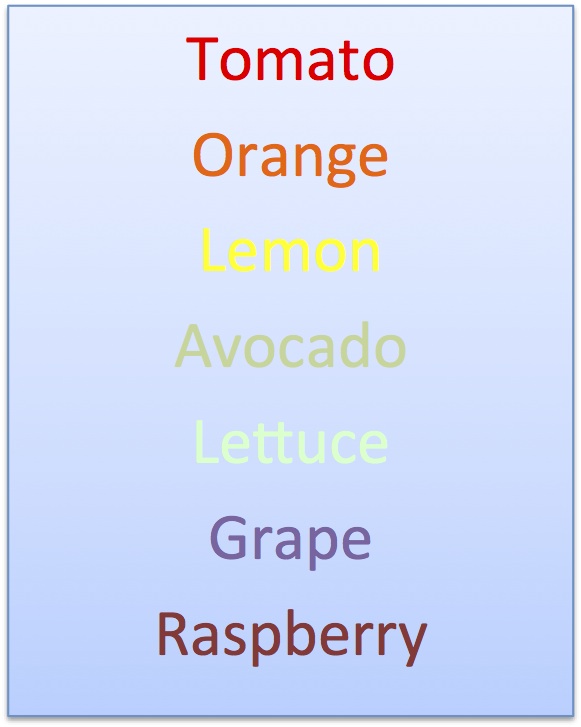
For Chalk-a-bration Day, Vannisa wrote a poem using a series of color words. When you look at the poem, it really just looks like a list of words, but when I talked to Vannisa about it, she said, “Close your eyes and imagine each color as it changes to the next one.”

Vannisa's colors

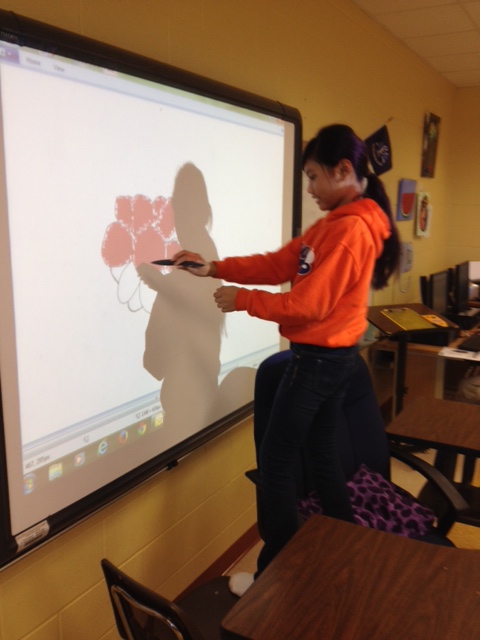
Her comment made me think. What about using Paint on the Promethian board and creating a video of a single flower changing color? Vannisa liked the idea and set to work.

digital vannisa

This whole process took an hour for her to do. Most teachers don’t have this kind of time to allow a student to “play.” I have the luxury of working with small groups of gifted students. Putting the images into a Moviemaker movie was fairly quick. One thing, for sure, Vannisa had a good time putting it all together. My question is this: Was this experience just fun or was there learning involved? And what learning may lead to further learning? Will my other students want to illustrate a poem and make a movie? Is this a valuable use of class time?

If you have written a blog post about Digital Literacy, please post a link. And consider following the Digital Literacy group on Facebook.

Read Full Post »

A new button for the Two Writing Teachers Slice of Life Challenge!

A new button for the Two Writing Teachers Slice of Life Challenge!

Believe it or not, March is almost here. Today, I announced in my classroom, “Guess what? It’s almost March. Slice of Life time!” Over the next two weeks we will talk about it a little each day. What is a Slice of Life story? What are some things you could write about? We have been blogging all year long, but the SOLC steps it up a notch. Rather than expecting at least one post per week, I will challenge my students to write every day and post at least 3 times a week.

Linda Baie and I are sharing the responsibility for supporting the classroom challenge. I will be available to answer questions for teachers whose last name begins with N-Z. If you have questions now, just write a comment. At other times, you can email me at margaretsmn at gmail dot com.

There are two documents that I want to share with you. First, I created a parent letter. I will copy and paste the body of the letter here. Of course, you will want to personalize it for your own use.

February 18, 2014
Dear Parents,
In March, my gifted students will be participating in the Slice of Life Challenge. This challenge is lead by the Two Writing Teachers at http://twowritingteachers.wordpress.com.
My students will be asked to write every day in March. This writing should be a “slice” of life. We will discuss ideas and have time for writing every day in class. The students will be graded by a rubric requiring at least 3 posts each week and comments on at least two classmates’ writing. If they write for the full month, I will provide prizes. If a student writes 16 or more slices, he or she will get a prize.

The students have been using kidblog.org all year long. This is a familiar format to them. I have set up a kidblog specifically for the Slice of Life Challenge, http://kidblog.org/SliceofLifeChallenge.

This is a public blog; however, I will get an email for every comment and post and will have to approve it before it is posted. I will only allow the students to use their first names, and we will not post any pictures of them. You and family members will be able to access the blog and write comments. Also, I will be posting to the Two Writing Teachers blog so that other teachers and their students can read and comment. This can be a wonderful experience for the students. They will develop good writing skills as they work to make their slices interesting to other readers.
I am asking parents to support this project in the following ways:
• Read your child’s posts and make positive, encouraging comments.
• Allow your child to use the internet to post if they have not been able to at school or on weekends.
• Give permission for your child to post on a public blog.
Please sign the permission form below and return to school.
Thanks,
Margaret Simon

My child, _____________________________, has permission to write posts to the public kidblog, Slice of Life Challenge. I understand that only his/her first name will be used and his/her picture will not be posted.

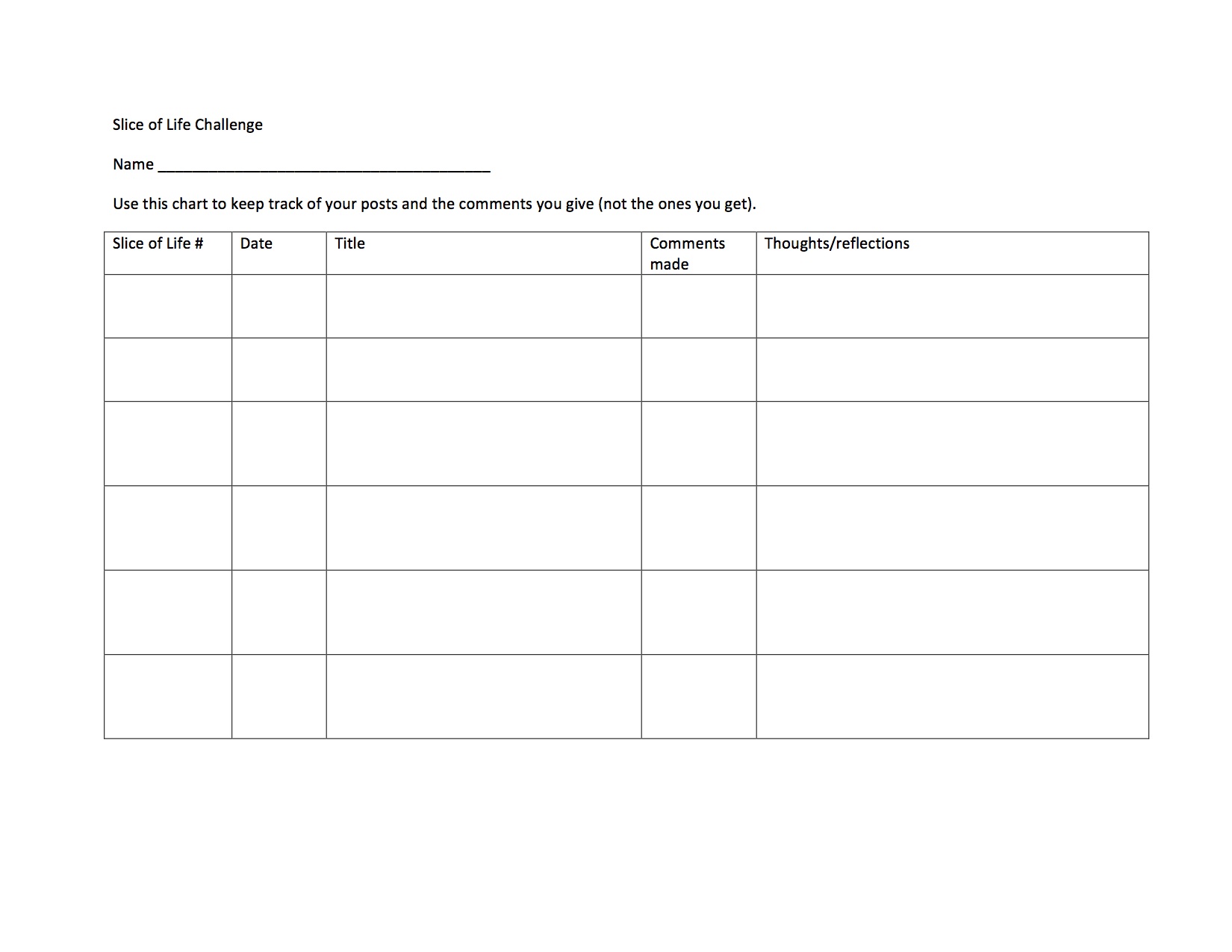
The second document is a chart the students use to track their slices. Because we will have a Mardi Gras break in the month, I will reduce the number of days required for a prize. You can decide for yourself how many entries are needed to get a prize.
Slice of Life Challenge chart (1) copy

Read Full Post »

Digital learning

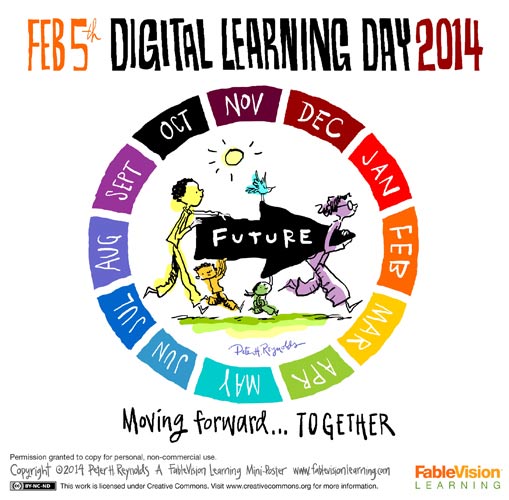
Today is Digital Learning Day, a day when educators join together and take the pledge to make digital learning a priority. To learn more about the movement, click here.

To celebrate digital learning day, things didn’t look all that different in my class. My students are very connected to the computer through their kidblog site. A few weeks ago we started a new writing project. For this writing, I wanted my students to combine elements of fiction and nonfiction. We used the Magic Treehouse books as a model. I don’t usually set a word count for writing, but for this one, we talked about it and decided the goal would be 1000-1500 words, with at least 5 chapters. I think this has worked well to make them think bigger. And they are writing…a lot! Almost every day, our kidblog site is updated with new chapters.

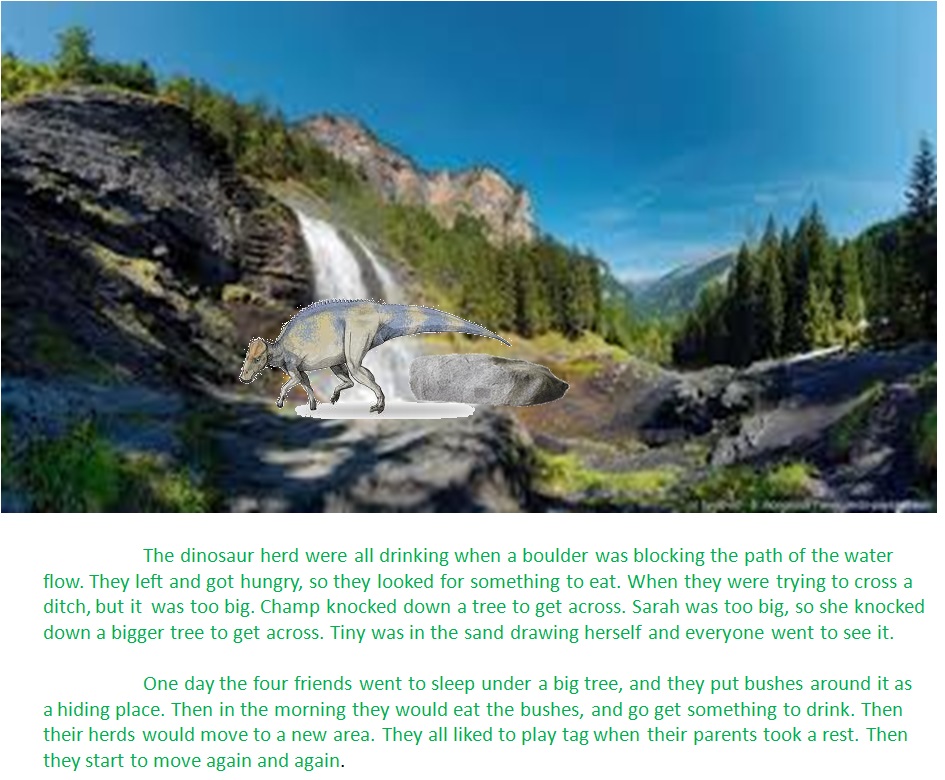
As a digital component of this writing project, I taught my students how to make a PowerPoint picture into a jpeg. The PowerPoint program allows them to layer pictures and text, group them together, and paste the image into Paint to save as an image file. The image file will be used in a movie or Animoto book trailer.

Tyler made this image using PowerPoint. He layered a waterfall image with a rock (boulder), a dinosaur, and a pool of water. He placed his text below as in a real picture book. He will build a movie in MovieMaker to “show” his book.

Chapter 1

Matthew chose to make a book trailer in Animoto about his book. All his images were pulled from the Animoto site.

fablevision_digital_learning_day_2014_banner

Read Full Post »

Today was National Digital Learning Day. We celebrated by making Name videos.

One of my students recently brought in a baby name book in order to select meaningful character names for a story she is writing. The students were playing around with the book looking up their own name meanings when a flash of an idea hit me. Let’s make word clouds and videos about our names! So we headed to the library so that each child could have a computer to use.

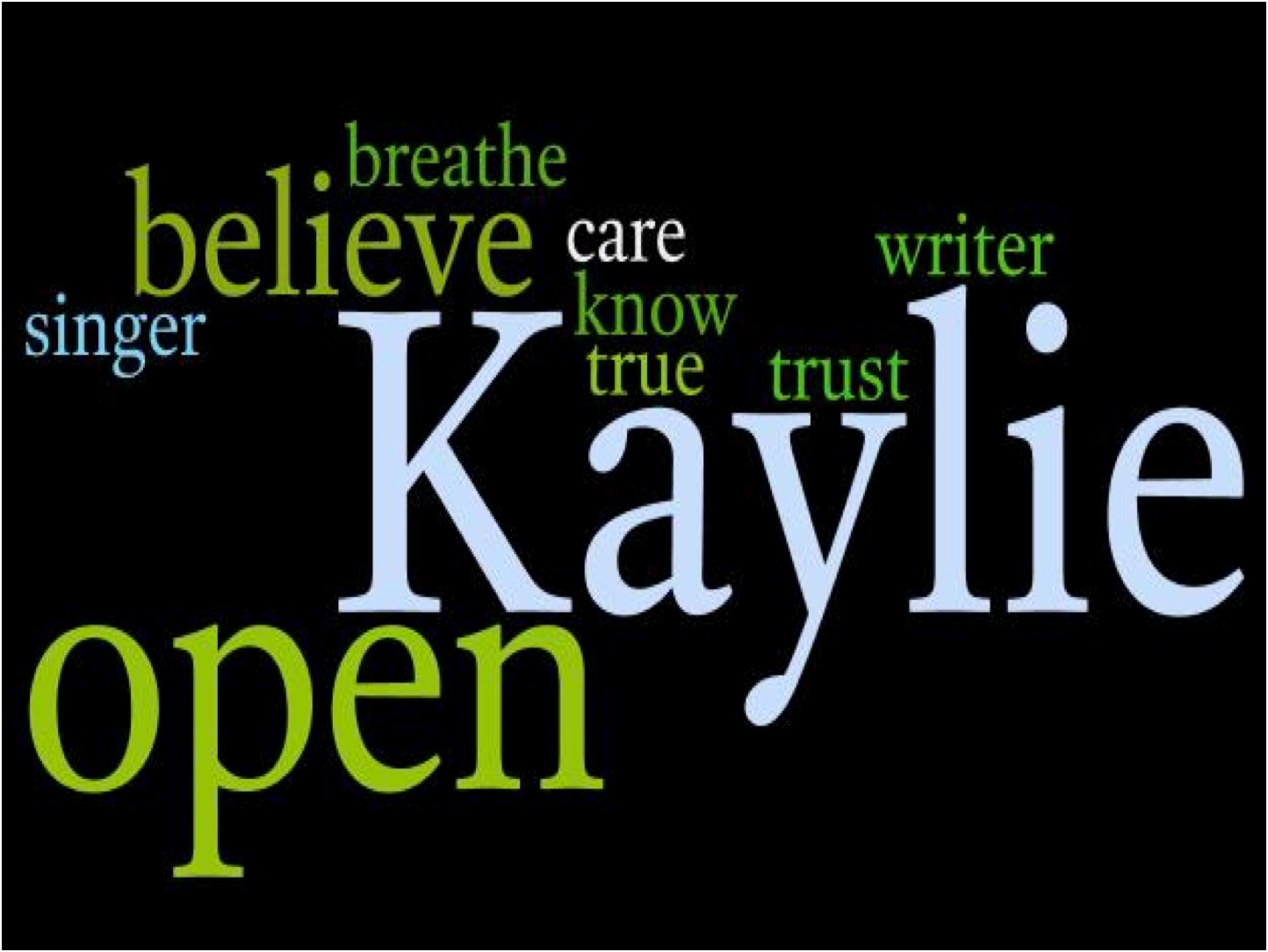
Wordle made by Kaylie

Wordle made by Kaylie

We used two websites: Wordle and Animoto.
First they made the Wordle. We took a screen shot of it and pasted it into Paint. There we saved the file as a JPEG.

On Animoto, students can make a 30 second video for free. The trouble I ran into at one of my schools was the Flash player wasn’t updated. Our good ole librarian came to the rescue and helped us update. To allow students to have an account on Animoto, the student used my gmail account by adding a plus sign and then their own name. That way I get the email about the video they created and they get free use of the site.

I will share two name videos with you. One was made using PowerPoint.

openOpen

And another used Animoto:

Vannisa's One of a kind Name.

Tara at A Teaching Life is hosting Poetry Friday.

Tara at A Teaching Life is hosting Poetry Friday.

Read Full Post »

« Newer Posts