Feeds:
Posts
Comments

Archive for the ‘Digital Learning’ Category

Discover. Play. Build.

Ruth Ayres invites us the celebrate each week. Click over to her site Discover. Play. Build. to read more celebrations.

This morning I have weeded the flower bed, swept the floor, and made spinach balls for tonight’s poetry reading and book signing. I am sitting down now and enjoying the rest. I wasn’t going to do a Celebration Saturday post, but why not? I’m happy in my home and should celebrate that in itself.

Because it’s summer and because I like to connect with other educators, I signed up for the Making Learning Connected Community or #clmooc.
Of course, I already feel behind. I participated in the Twitter chat on Thursday night. It moved so fast. But I got a little encouragement about my first make: a How To. I also learned about some new tech tools that I am saving for tomorrow’s DigiLit Sunday post. The best part of any PD challenge such as this is the connection you make with other teachers and makers. (Julie Johnson is a blogger who is also doing the #clmooc challenge. Check out her blog post here.)

I believe that in order to teach my students to be brave in the tech world, I must be brave. Just do it, as they say.

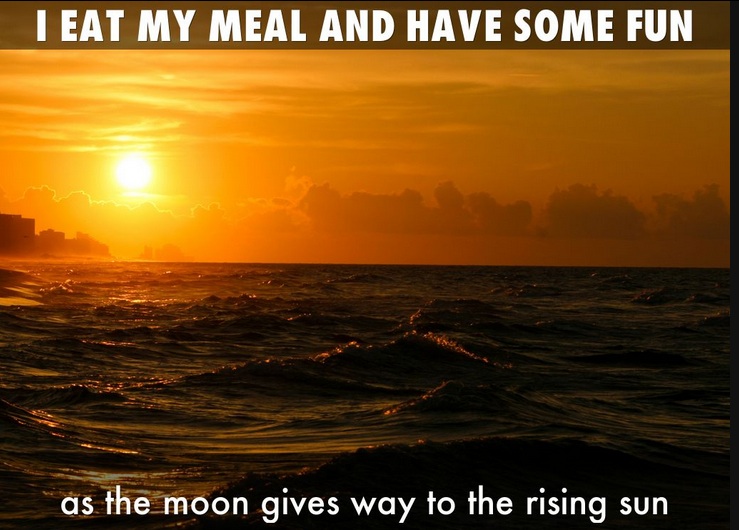
I waited for inspiration. It came late yesterday evening after my dinner was cooked and cooling off. I thought “How to be water,” inspired by Laura Purdie Salas’ new book Water Can Be. I downloaded the Animoto app on my phone, made a video of my cat drinking from the faucet as she wants to do almost all the time, and uploaded water images. This was quick and satisfying.

Today I celebrate connecting and creating. Have a wonderful summer solstice day!
Read Full Post »

Poetry Friday Round-up is with Catherine Johnson.

Poetry Friday Round-up is with Catherine Johnson.

the coming of lavender

the coming of lavender

Over at Today’s Little Ditty, Michelle H Barnes is hosting a poem movie challenge issued by her guests Sylvia Vardell and Janet Wong of the Poetry Friday Anthology of Science. I love a creative challenge and since I am trying to be OPEN in the year 2014, I need to learn new things. I knew nothing about using iMovie, but I have it on my computer, so I gave it a try. This is a user friendly program. If I can do it, anyone can.

I pulled out a poem I wrote for Laura Shovan’s Pantome poem project and uploaded pictures I had in my files. I must have recorded my reading 5 times or more. That was the hardest part. What is it about doing something like this that makes you feel so smart and accomplished? I will definitely try this with my students next year. Thanks, Michelle, Sylvia, and Janet for the motivation to try something new.

Read Full Post »

Please use this button on your site for DigiLit Sunday posts

Please use this button on your site for DigiLit Sunday posts

Photo from Mind, Body, Fitness

Photo from Mind, Body, Fitness

The balance poses in yoga are a kind of test for me. If the balance pose is tough, and I teeter and fall, I know there is something not quite right. If I can stand tall and balance with focus, I feel complete. When we talk about Digital Literacy both in our own lives and in the lives of our students, I think balance is essential.

Each day I begin my morning checking email, Facebook, and reading blog posts. The more people I connect with in this digital environment, the more time this takes. I could so easily get stuck at the computer, and sometimes I do. I have to remember my nondigital life, the one in which the pets live, and my family, and my face-to-face friends.

In my classroom, the computers are tools. They stand ready for students to publish writing, to research, and to create a presentation. They do not and will not replace the face-to-face discussion of ideas, the pen-to-paper of the journal entry, or the shelves of books. Balance.

How do you balance your digital life with your real life?

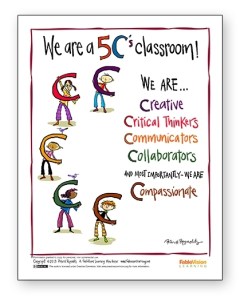
I am a follower of Peter Reynolds. He is the creator of Dot, Ish, and most recently Going Places. His artwork as well as his ideas are inspiring. I would love to print out all his posters and decorate my classroom with them. This one shows the 5 Cs of 21st Century Education: Creativity, Collaboration, Communication, and Critical Thinking with the addition of a very important C, Compassion.

Click on the image to download this poster.

Click on the image to download this poster.

As 21st Century educators, we can so easily get on overload. We can get caught up in the technology, social media, and the continuous flow of online apps. However, we need to remember balance, keep a focal point, and lead our students into the world of the 5Cs with or without technology.

Add your DigiLit Sunday post to Mr. Linky. Next Sunday I will not be posting. (My youngest daughter is graduating from graduate school. Woo Hoo! If you want to take on the round-up next Sunday, let me know in the comments or by email.

Read Full Post »

Please use this button on your site for DigiLit Sunday posts

Please use this button on your site for DigiLit Sunday posts

Have you heard about Thinglink? I’m not sure where I first heard about it, but I recently was invited by Thinglink to give it a try. From what I did so far, it looks like another presentation site based on images. When I went to the site, signed up, and logged in, I was stuck. There was no place to click to move forward. Finally after some frustration, I hit the back page button and found on the home page the button for Learn More. That took me to a page that had a button for Create. There I was able to move forward and create a page. I uploaded a picture I took on our afternoon nursery trip. Since I had previously written a poem about an amaryllis, I recorded it on Soundcloud and was able to link it to the picture. I also linked an information page about the amaryllis.

I embedded the image here, but the links do not embed. You have to click on the link to go directly to the Thinglink page to get to the links.

Thinglink allows for adding students. I am interested in trying this out with my students, perhaps on a research project or to write about a book they’ve read. Have any of you used Thinglink with students? I’d love to hear about your thoughts and ideas.

Link up your Digital Literacy posts using Mr. Linky.

Read Full Post »

Please use this button on your site for DigiLit Sunday posts

Please use this button on your site for DigiLit Sunday posts

Pay attention! This is our endless and proper work. ~Mary Oliver

snail

School is out, and the last thing my brain wants to do right now is think about digital literacy. When I opened the door to let Charlie out this morning, this snail was working its way slowly and deliberately along a leaf. So I took a picture. My one little word for 2014 is Open, but I think I’ll translate that word to mean “Pay Attention” as a summer goal. Be alert. Don’t let your brain fall asleep.

On the web this morning, I paid attention to two articles. The first was posted by Tara Smith at Two Writing Teachers. Tara writes about her students’ confidence in writing workshop and her release of control. They are using technology in ways she would not have predicted. She is able to take a back seat and watch. Sometimes I feel teachers are too focused on themselves and what they will do in front of the students. Tara’s expertise is in knowing that her best teaching comes from the back seat where she can support her student writers and allow them to discover on their own. Read her article here.

The second article that drew my attention was one a friend posted on Facebook about summer reading, Ready, Set, Read! In this article, research is cited that says reading fiction creates better human beings. We learn to be empathetic by reading. I knew that students needed to keep reading over the summer in order to maintain and grow their reading levels, but I never thought about how that reading makes them better people.

What are you paying attention to today? Please add your Digital Literacy link to Mr. Linky.

Read Full Post »

Please use this button on your site for DigiLit Sunday posts

Please use this button on your site for DigiLit Sunday posts

Sometimes I teach a lesson in writing workshop, and the students apply it right away. Sometimes they don’t. A few weeks ago, a blogging friend (if it was you, let me know in the comments) wrote about using hyperlinks in blog posts. She was doing a research unit with her students. I thought how cool would it be to write a poem and put in a hyperlink. I made the suggestion that my students go on to Wonderopolis (which they love) and read about a favorite topic and write a poem about it including a hyperlink. One of my students even commented, “Why haven’t you taught us this before?” But none of them did it.

Choice is important to me in writing, so I didn’t freak out. On Friday, Amy Ludwig Vanderwater offered a challenge on The Poem Farm for students to write a poem about a manatee. And Friday was my last official day with my students. I thought there would be no way we could fit that in with writing a letter to me and having a popcorn and apple party. Not to mention they were leaving an hour early to go out for Character Day activities. But two students took the challenge. They read Amy’s poem, watched the video, and wrote a poem using a hyperlink.

Later in the day, I had a few other students at school #2 also take the challenge. I tweeted Amy, and she tweeted back that in honor of my students, she would adopt a manatee. How cool is that!

Manatee

You are sometimes known as sea cows.
Shallow, slow areas are where you choose to browse.
You are actually related to elephants,
and you’re big, graceful, and elegant.
The great Manatee is who you are
And truly you are the ocean’s star.
Brooklyn

Image from Wikimedia commons

Image from Wikimedia commons

Manatee, my Friend (a Fib poem)

great

friend

what have

you done to

deserve this treatment

you will be safe soon my dear friend.
–Tyler

Since I will be out of school, I’m not sure if I should continue this round-up. What do you think? Should we keep it up over the summer or take a break and come back with full force in August? Let me know in the comments.

Link up your post with Mr. Linky. Come back and read other posts. Don’t forget to comment. That’s what makes the blogosphere go around.

Read Full Post »

Please use this button on your site for DigiLit Sunday posts

Please use this button on your site for DigiLit Sunday posts

Tweet with #k6diglit.

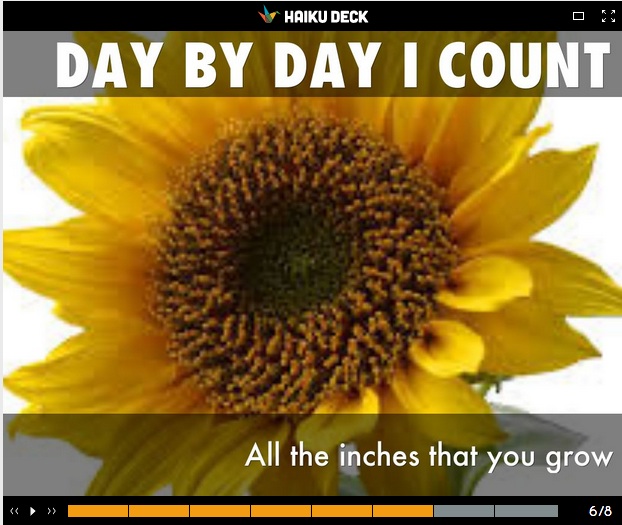
I have had some struggles with using Haiku Deck in my classroom due to the network blocks on our server. I’m sure this is an issue for others as we use new apps in our classrooms. I found a way this week to make it work. The server blocks the images, but not the app. I taught my students about fair use of photos from the Internet. We search images on Google, click on Search Tools, and click on Labeled for reuse. This limits greatly the number of images we can choose from. However, when using a web-based app, I feel it is important to use the images rightly.

The poetry writing exercise included a discussion of imagery and how scientific poems can use imagery to help your reader understand a concept. We looked through poetry books and found model poems that used imagery. We read together the poem Helianthus from Seeds, Bees, Butterflies, and More! by Carole Gerber.
“If saying ‘helianthus’ makes you cower…
use our common name–
Sunflower!”
Vannisa chose to write a haiku about sunflowers. She actually wrote three haikus, so I told her that a long poem using the haiku syllable count is called a Choka.

Vannisa Choka Sunflower

To see the full poem on Haiku Deck, click here.

Inspired by Carole Gerber’s big name poem, Matthew wrote about Charcharodon Carcharias or Great White Sharks. Matthew managed to work in a line he lifted from the book he is reading.

Matthew shark poem

Matthew’s full poem is here:

Read Full Post »

Please use this button on your site for DigiLit Sunday posts

Please use this button on your site for DigiLit Sunday posts

I am always on the look out for digital literacy ideas. This week was no exception. Being on spring break allowed me more time to peruse the Internet for ideas to make the end of the school year great. Cathy Mere posted in Choice Literacy about ways to keep students connected over the summer.

  Join the Two Writing Teachers Slice of Life Challenge.

Join the Two Writing Teachers Slice of Life Challenge.

My students post on a kidblog site. They had a good daily writing habit during the Slice of Life Challenge in March. This month we are writing poems. I’ve even had a former student join in. We are working on a collaborative poem in the comments section of her poem, “Ode to a Cat.”

IMWAYR

My thinking is I will ask students to post twice a week, once on Mondays about their summer reading. There is a meme at Jen Vincent’s site called “It’s Monday: What are you Reading?” My goal is to participate in that round-up myself and to encourage my students to write a blog post on Mondays about their reading.

Tuesdays will be Slice of Life days as they are at the Two Writing Teachers site. My students know how to write a slice of life. This will keep us up to date in the summer.

I teach the same students year to year, with the exception of students moving and 6th graders moving on to middle school. I want to use this to my advantage. How special for me and my students that we can keep in touch over the summer. They don’t have to know that it’s academically good for them. I plan to build it up as an opportunity. Any ideas on getting the parents on board? They will be the ones who will need to provide the computer time and do the reminding.

Join the Chalk-a-bration over at Teaching Young Writers.

Join the Chalk-a-bration over at Teaching Young Writers.

On the last day of each month, we join in Betsy Hubbard’s Chalk-a-bration. My students love this day. They’ve come to remind me of it each month. What fun for them to take Chalkabration on Vacation! I’ll encourage them to write poems in chalk, take pictures, and text them to me. I can keep up my blog post with their snapshots. The more I think about our summer literacy, the more excited I get.

Cathy Mere also keeps up a Pinterest board for her parents. I am not very active on Pinterest, but maybe this would be a resource I should try. I think I’ll poll the parents to see how many of them use Pinterest.

What are your thoughts about summer digital literacy?

Add your DigiLit Sunday post in Mr. Linky:

Read Full Post »

Please use this button on your site for DigiLit Sunday posts

Please use this button on your site for DigiLit Sunday posts

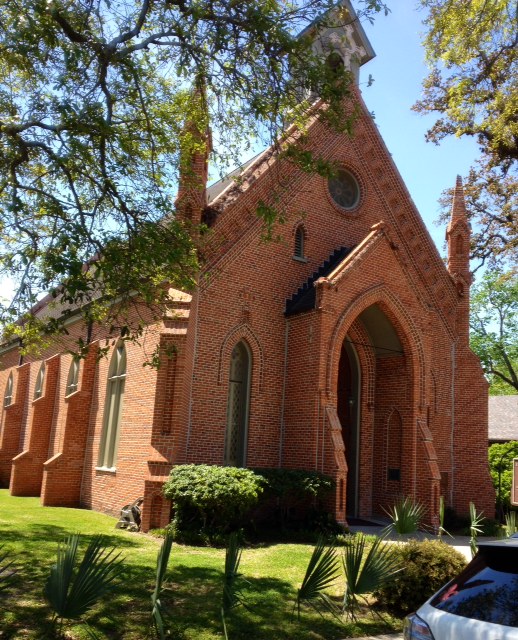
Church of the Epiphany is surrounded by waving palms.

Church of the Epiphany is surrounded by waving palms.

There is a long history at my church, the Episcopal Church of the Epiphany, of palm cross making. Probably for close to 100 years, we have used palms from nearby Avery Island, home of Tabasco sauce. From the new fronds, we create strips and fold them into crosses. Everyone pins a cross on at the Palm Sunday service. When Katie was four years old, I taught her how to make the crosses. She is now 13. Yesterday, we made a YouTube video of the process. This was testing week, so I did not see my students. For DigiLit Sunday, Katie will be my stand-in.

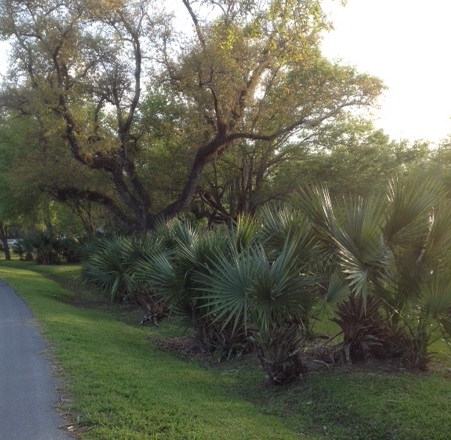
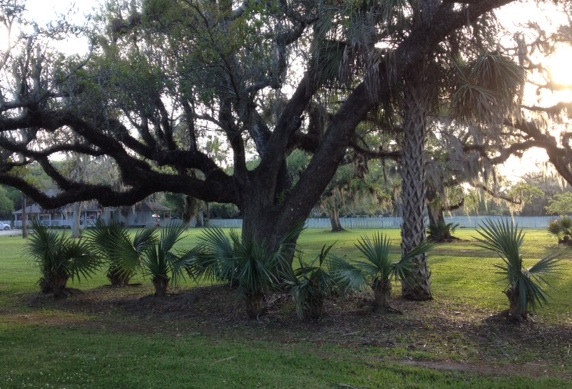
The day school for Epiphany had a beautiful gala event last night at Avery Island. I took some pictures on the way of the palms growing there.

Palms growing on Avery Island.

Palms growing on Avery Island.

oak and palms

Place your DigiLit Sunday post in Mr. Linky. Thanks to everyone for participating. I will take off next week for Easter Sunday. Check back on Sunday, May 4th.

Read Full Post »

Please use this button on your site for DigiLit Sunday posts

Please use this button on your site for DigiLit Sunday posts

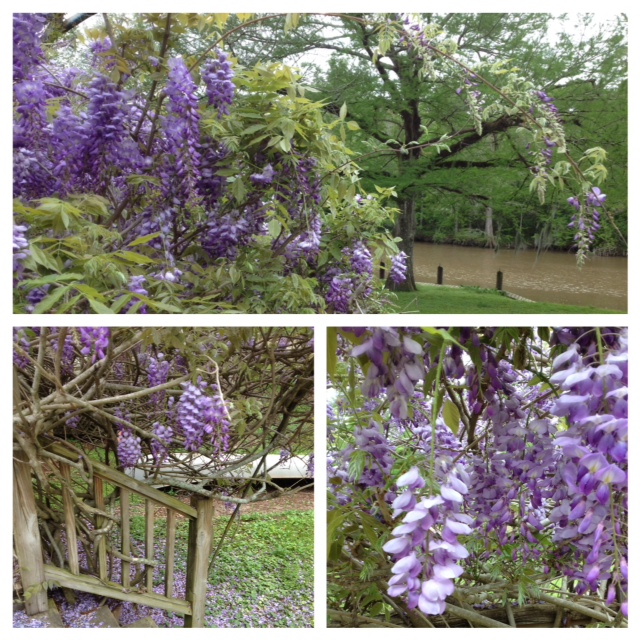
wisteria collage

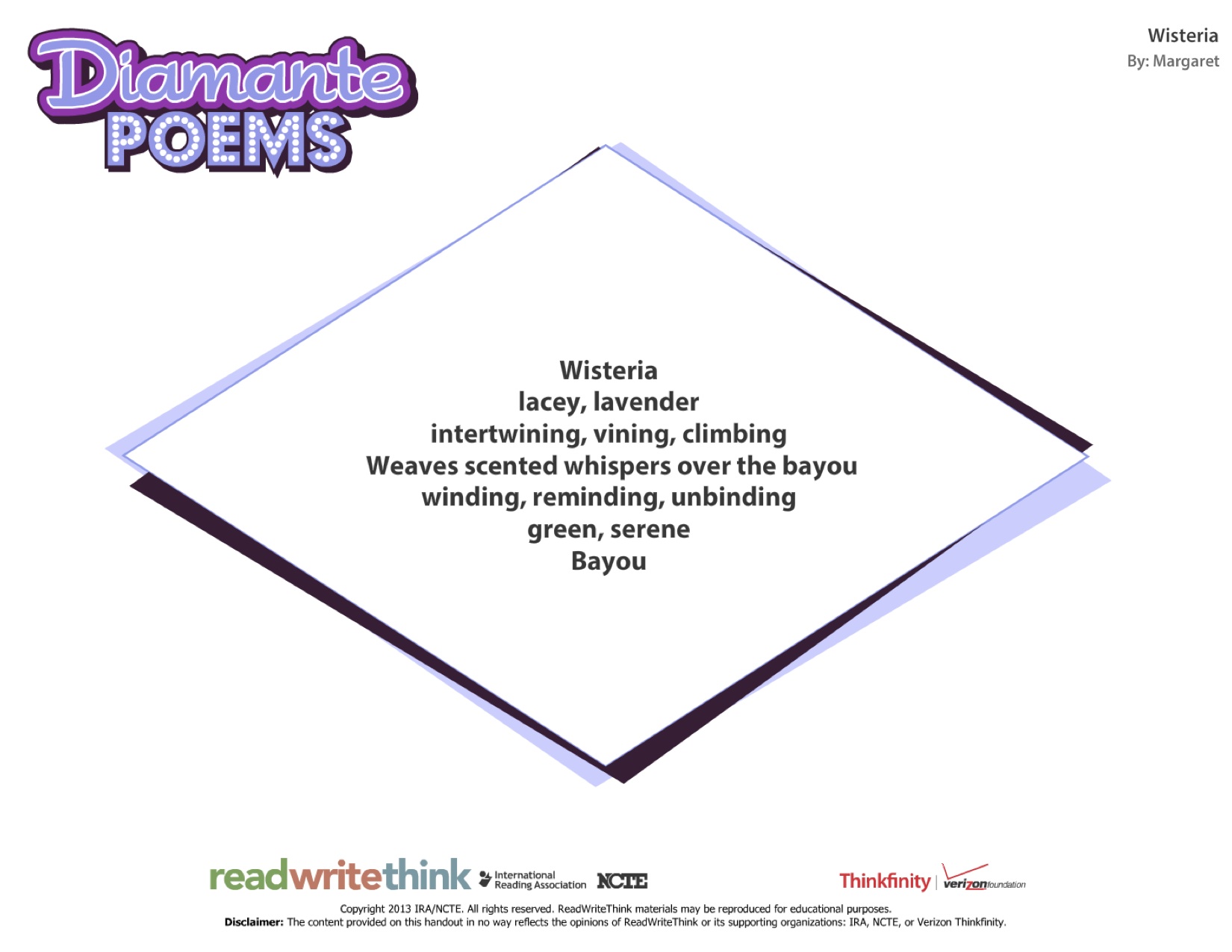
This beautiful wisteria vine grows outside my bedroom window. I think I write a poem about it every year. Today for DigiLit Sunday, I am posting a collage made with Pic Stitch. One of my favorite teacher sites is Read, Write, Think. Supported by two amazing organizations, International Reading Association and National Council for Teachers of English, this site offers a wealth of literacy-based lesson plans. I also love the interactive applications available. I made a diamante poem on a Read, Write, Think Interactive. For students, the app works well because it prompts them for each word. The form for a diamante creates a diamond shape with 7 lines:

Title
Two adjectives
Three -ing words
A phrase that connects title to ending word (antonym or synonym)
Three -ing words
Two adjectives
Ending noun, antonym or synonym

Wisteria diamante

Link up your Digital Literacy post with Mr. Linky.

Read Full Post »

« Newer Posts - Older Posts »